Simplify Your Shop Management
Manage your inventory, generate bills, and track sales instantly — all in one place, even from your phone. Inventrona is built for local shopkeepers.
Start Free TrialAbout Us
Inventrona was born with a simple mission: to empower local shopkeepers and small businesses. We want to make technology accessible and your business more efficient.
Our Mission
Our goal is to create a simple and powerful tool that frees small business owners from the complexities of managing inventory, billing, and customer relationships.
Our Founder
This app was created by Subhajit Muniyan, a tech enthusiast who believes in empowering local businesses.

Who is Inventrona for?
Specially designed for the diverse needs of small and medium-sized businesses.
Key Features
Dashboard
Get a quick overview of your total products, sales, and low-stock items all in one place.
Inventory Management
Easily add, edit, and track your products. Set stock levels and get alerts for low inventory.
Purchases
Track your inventory purchases and manage suppliers.
Fast Billing
Create and print thermal invoices instantly. It's quick, easy, and supports multiple languages.
Customer Management
Keep track of your customers, view their purchase history, and send them special offers.
Expenses
Track all your business-related expenses here.
Staff Management
Add and manage your employees, track their salary and payments.
Staff Attendance
Track daily attendance of your staff members easily.
WhatsApp Invoices
Send invoices directly to your customers via WhatsApp with a single click.
Install Inventrona on Your Phone
Get a native app-like experience by installing Inventrona directly on your phone's home screen. Follow these simple steps.
For Android
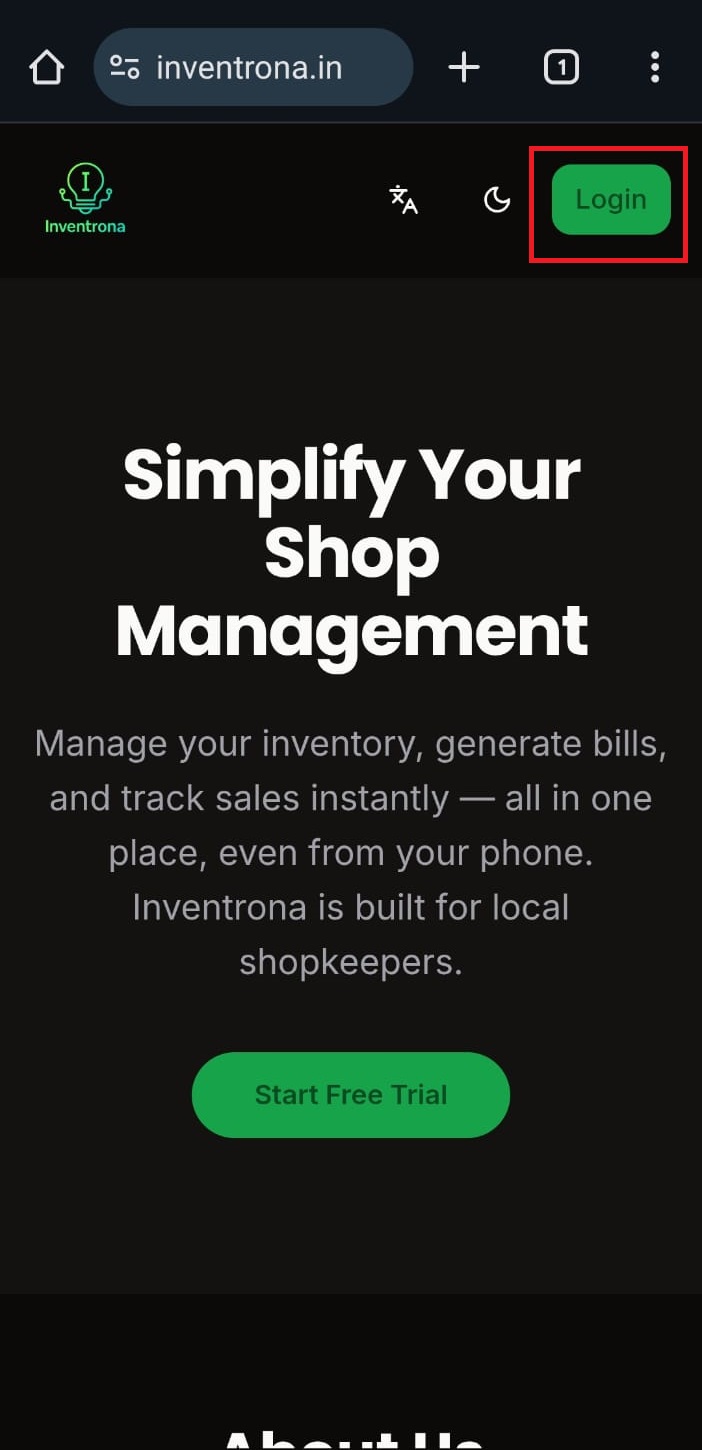
Open the website in your Chrome browser.
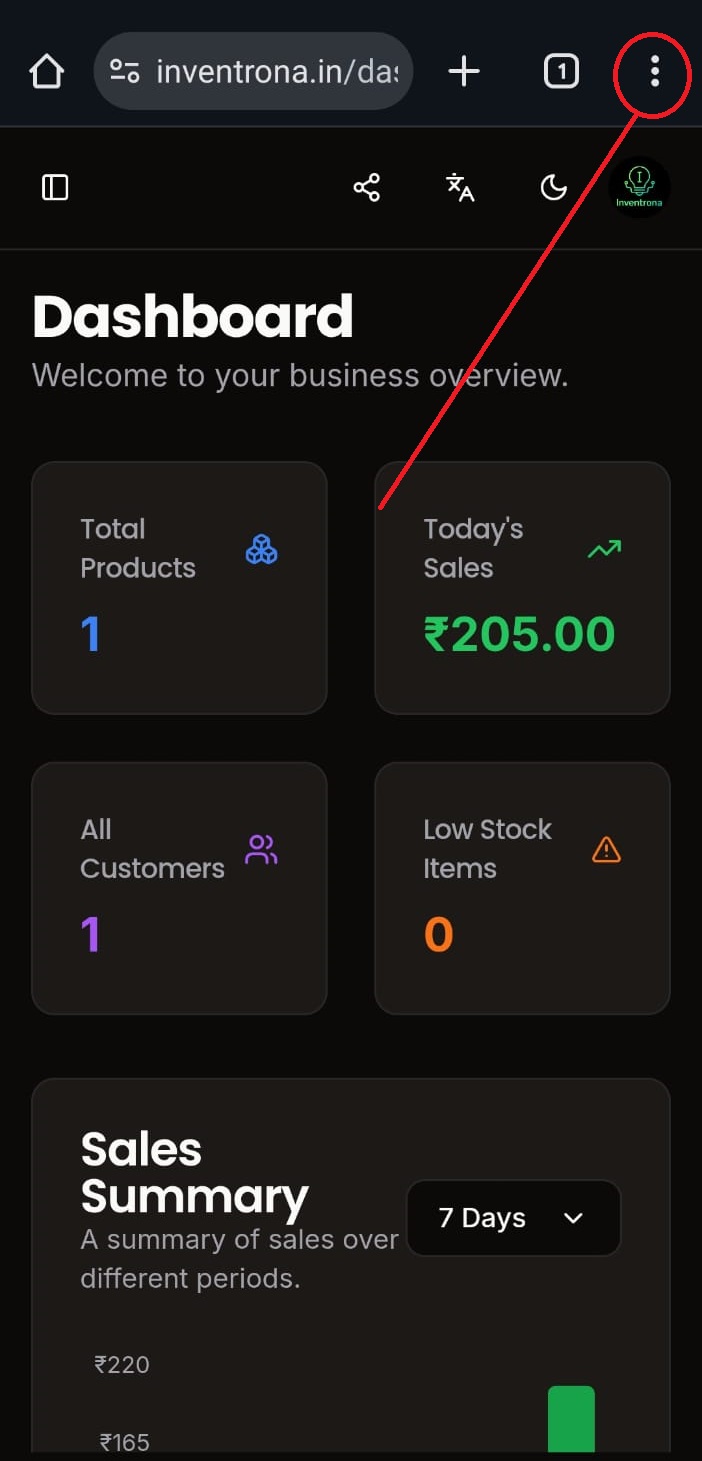
Tap the three-dot menu icon in the top-right corner.
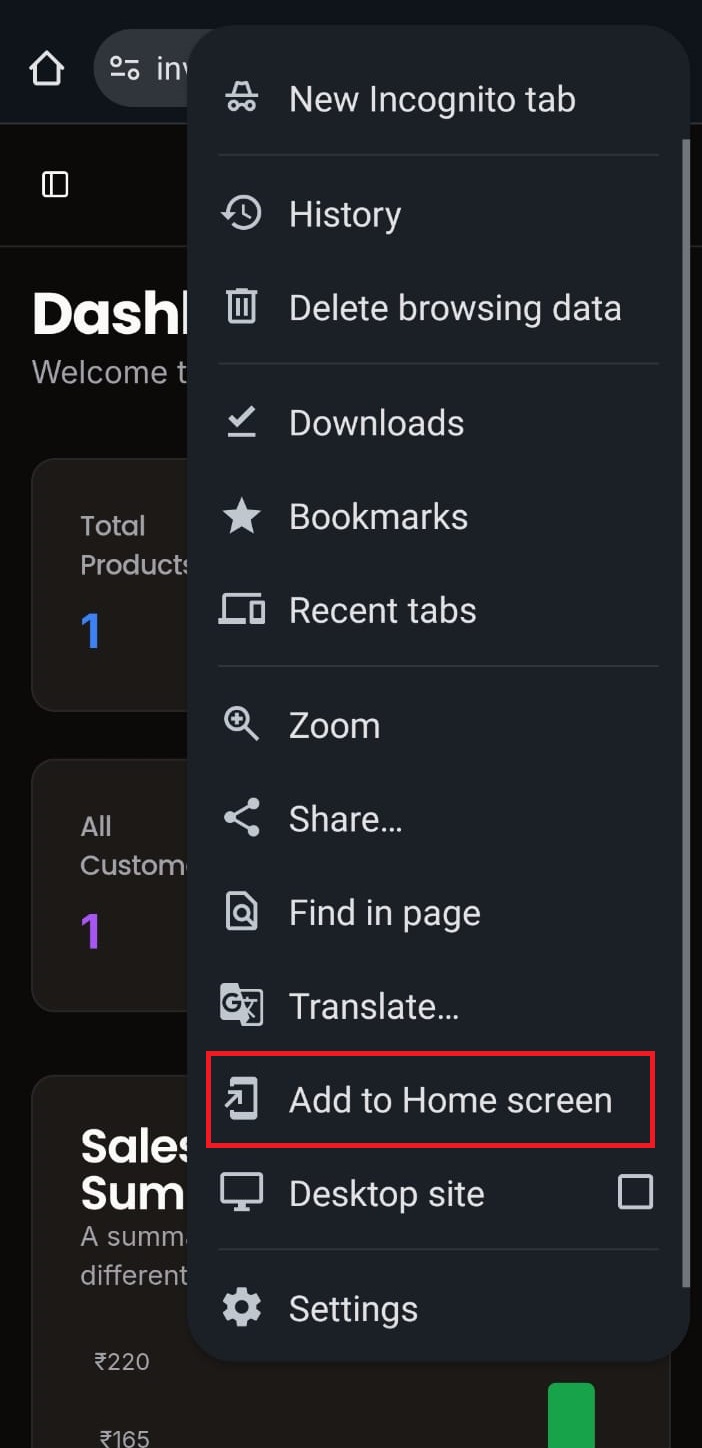
Select 'Add to Home screen' from the menu.
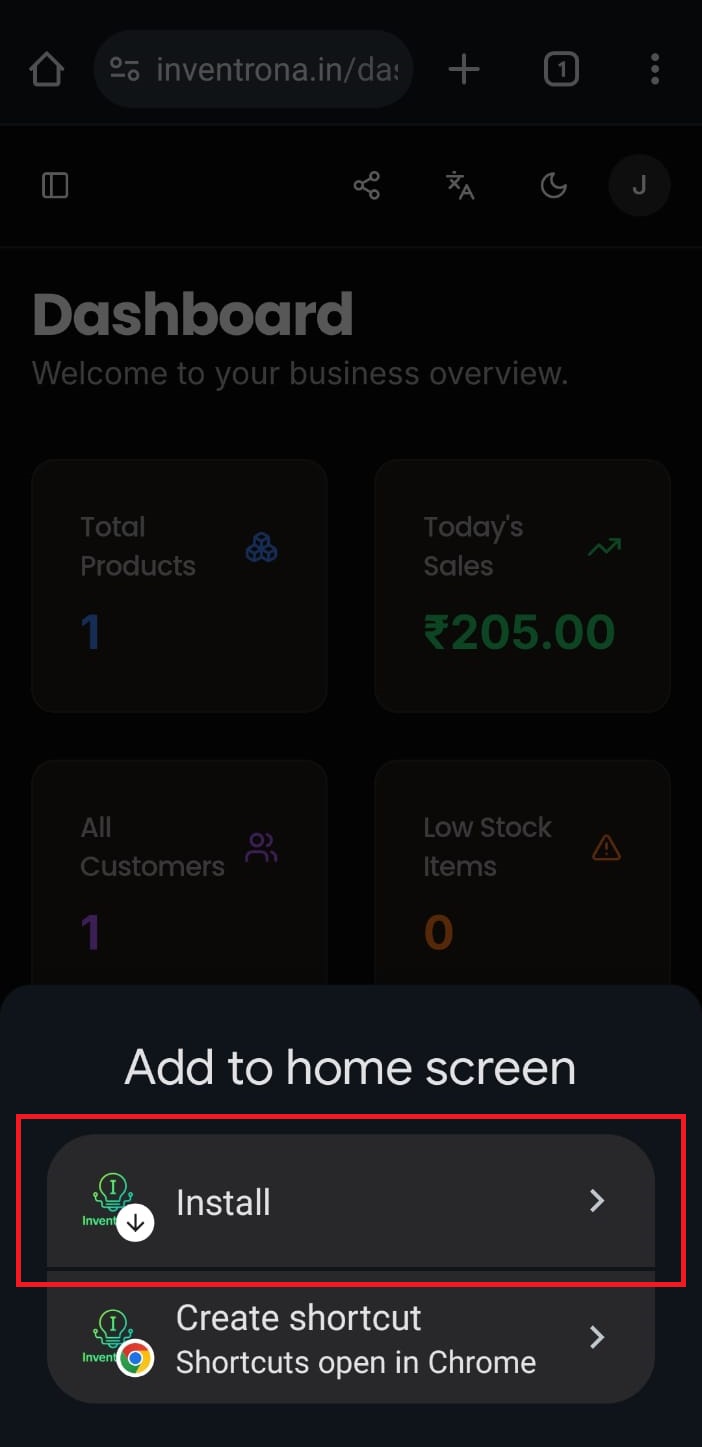
Tap the 'Install' button to add the app to your home screen.
Simple Pricing
Choose a plan that suits your needs. Start for free, no card required.
3 Months
Billed Quarterly
- ✔ All Core Features Unlocked
- ✔ Priority Support
1 Year
Billed Yearly
- ✔ All Core Features Unlocked
- ✔ Priority Support
- ✔ Free Updates
Have questions?
Contact us at inventronahelp@gmail.com